
Core Web Vitals: What They Mean for SEO and Page Experience
Core Web Vitals are one of the most discussed parts of technical SEO, but they are often misunderstood. Some teams treat them as a simple pass-or-fail checklist. Others dismiss them because improving the metrics does not guarantee higher rankings. Neither view is especially useful.
The real value of Core Web Vitals is that they measure how a page feels in real use. They help show whether content loads quickly enough, remains visually stable, and becomes usable without frustrating delays. That makes them relevant not only to SEO, but also to UX, conversion performance, and overall site quality.
For websites building topical authority, Core Web Vitals belong within a broader technical SEO cluster. They support a larger conversation around website speed SEO, mobile usability, crawl efficiency, and page experience. They are not the entire strategy, but they are an important part of a technically strong website.
This cluster page explains what Core Web Vitals are, why they matter, how they work, what commonly goes wrong, and how to approach them strategically.
What Are Core Web Vitals?
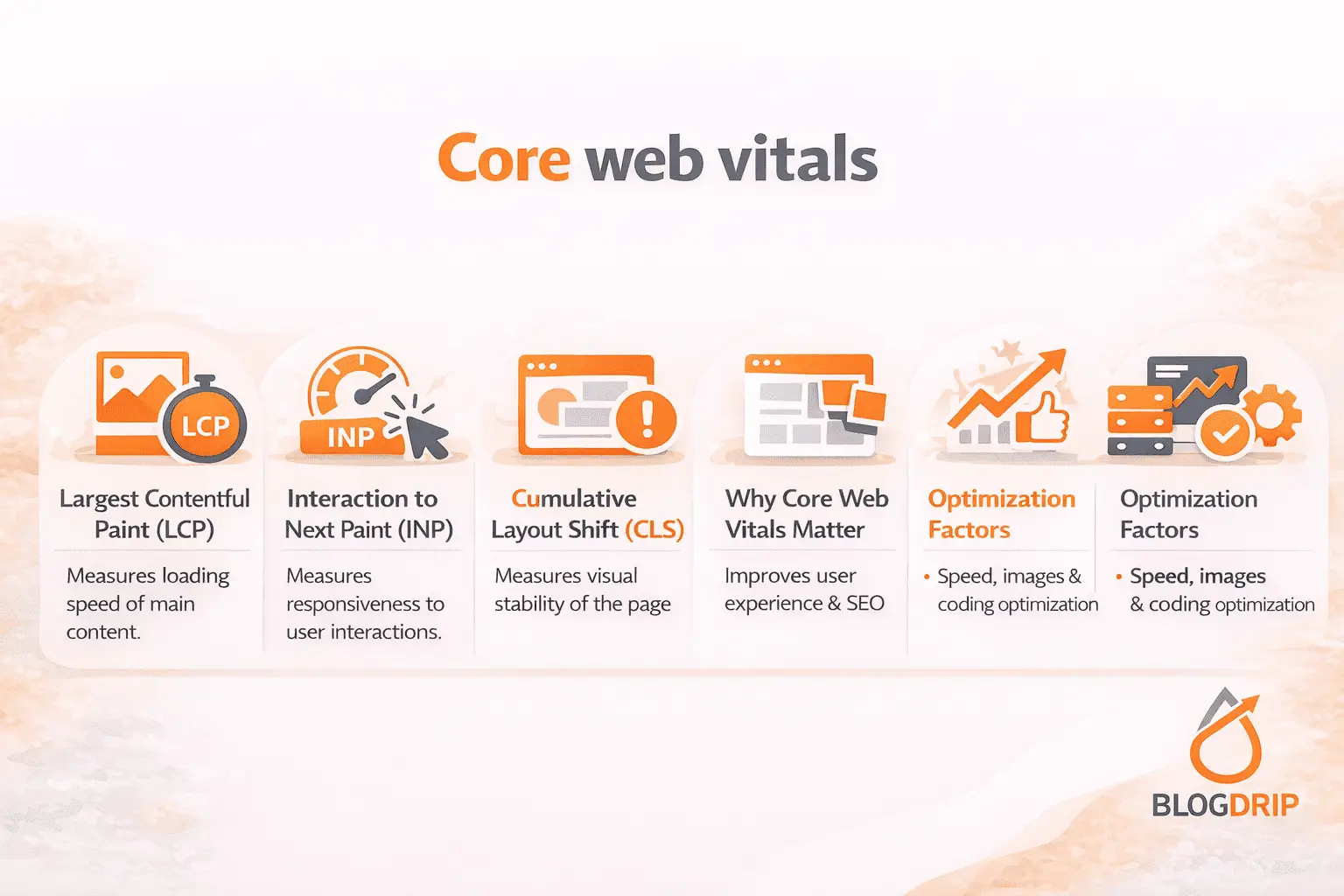
Core Web Vitals are a set of performance metrics used to measure key aspects of page experience in real-world conditions. They focus on three areas: loading speed, interactivity, and visual stability.
In practical terms, Core Web Vitals help answer three simple questions:
- How quickly does the main content appear?
- How quickly does the page respond when users interact?
- How stable is the page while it loads?
These metrics are designed to move performance discussions away from vague ideas like “the site feels slow” and toward observable user experience.
The three Core Web Vitals
Largest Contentful Paint (LCP)
LCP measures how long it takes for the largest visible content element to appear within the viewport. In most cases, this reflects the main image, hero section, or large headline block.
This metric is mainly about perceived loading speed. If the primary content appears too slowly, users often feel the page is lagging, even if smaller elements loaded earlier.
Interaction to Next Paint (INP)
INP measures how responsive a page is after a user interacts with it. It looks at how long it takes for the browser to respond visually to clicks, taps, or keyboard input.
This metric matters because a page can appear loaded but still feel frustrating if buttons lag, menus stall, or form fields respond slowly.
Cumulative Layout Shift (CLS)
CLS measures unexpected layout movement while the page loads. If text jumps, buttons move, or images push content downward after appearing, the page becomes harder to use.
This metric focuses on visual stability. Even fast pages can feel poor if the layout keeps shifting while users try to interact.
Why Core Web Vitals Matter
Core Web Vitals matter because they reflect actual usability, not just technical output. They are part of a broader effort to align technical performance with real user experience.
They support page experience
Core Web Vitals help measure whether a page becomes useful quickly and predictably. A page that loads the main content promptly, responds smoothly, and stays visually stable creates less friction.
That matters for SEO because search engines want to surface pages that satisfy users, not just pages that contain the right keywords.
They reinforce website speed SEO
Core Web Vitals are closely connected to website speed SEO, but they are not exactly the same thing. Website speed is broader. It can include server response, asset delivery, resource size, and template efficiency. Core Web Vitals focus more narrowly on how those technical factors affect the user-facing experience.
This page should therefore sit naturally alongside a related cluster article on website speed SEO.
They matter more on mobile and complex templates
Performance issues are usually more noticeable on mobile devices, slower networks, and content-heavy page templates. That means Core Web Vitals often reveal deeper problems in layout design, front-end code, or third-party script usage.
In that sense, they are not just reporting metrics. They are diagnostic signals.
How Core Web Vitals Work
Core Web Vitals are based on field-oriented performance data, which means they are designed to reflect how pages behave for real users, not just in controlled lab tests.
They measure real page experience
The metrics are influenced by real conditions such as device type, network quality, browser behavior, and front-end complexity. That is why a page may look acceptable in a desktop test but still struggle in real-world mobile use.
This is also why Core Web Vitals should not be treated as abstract engineering numbers. They are practical indicators of how the site performs in the environments users actually experience.
They expose bottlenecks in loading and rendering
Poor Core Web Vitals usually point to specific issues such as:
- oversized images
- heavy JavaScript
- slow server response
- render-blocking resources
- unstable ad or banner placements
- poorly dimensioned media
- excessive third-party scripts
The metric itself is not the root problem. It is the symptom of a technical or UX issue underneath.
Important Factors That Influence Core Web Vitals
Several parts of a site directly affect how Core Web Vitals perform.
Server response and page delivery
A slow server can delay everything that follows. If HTML takes too long to arrive, the page starts behind before images, scripts, and stylesheets are even processed. Hosting quality, caching setup, and backend efficiency all matter here.
This is one reason Core Web Vitals fit naturally within a broader technical SEO pillar page.
Images and media handling
Large images often affect LCP directly. If a hero image is oversized, uncompressed, or poorly prioritized, the main content appears later than it should.
Images also affect CLS when dimensions are not reserved properly. If the browser does not know how much space an image needs before it loads, layout shifts become more likely.
JavaScript and interactivity
Heavy JavaScript is one of the most common reasons pages feel responsive in theory but sluggish in practice. Too many scripts, long main-thread tasks, and bloated front-end frameworks often hurt INP.
A useful related article here would be a cluster page on JavaScript SEO or front-end performance.
Dynamic elements and layout instability
Banners, popups, embeds, fonts, and ads can all create unexpected movement if they load after content has already appeared. This is where CLS issues often come from.
Many layout shift problems are not caused by the main content itself, but by secondary elements added without enough reserved space or loading control.
Common Mistakes
One common mistake is treating Core Web Vitals as a ranking shortcut. Improving the metrics can help page experience, but it does not replace content quality, search intent alignment, or authority.
Another mistake is focusing only on test scores. A page may achieve a better score in a tool without meaningfully improving user experience. The opposite can also happen: a page may still need work even if one test looks acceptable.
Some teams also fix symptoms instead of causes. For example, they compress one image or defer one script without addressing the underlying issue in the page template or CMS setup. That usually leads to limited and temporary improvement.
It is also common to optimize the homepage while ignoring the templates that actually drive organic traffic, such as service pages, blog articles, category pages, or product pages. That produces good-looking reports without solving the real business problem.
Practical Guidance
The best way to approach Core Web Vitals is to treat them as part of performance strategy, not as isolated metrics.
Start with the pages and templates that matter most. Focus on key landing pages, major content templates, and high-value mobile experiences. Then look for recurring issues rather than isolated page-level quirks.
A practical process usually includes:
- identifying which metric is weak
- finding the template or resource causing the issue
- prioritizing mobile performance
- reducing unnecessary scripts
- optimizing large media assets
- improving layout stability before secondary elements load
- reviewing performance after each meaningful technical change
It is also important to work across teams. Core Web Vitals are not purely an SEO responsibility. They usually involve developers, designers, content teams, and sometimes analytics or paid media teams when third-party tools are involved.
For a site using a pillar-and-cluster structure, this page should connect naturally to related supporting pages on website speed SEO, mobile SEO, JavaScript SEO, and technical SEO fundamentals.
Timing and Expectations
Core Web Vitals improvements can help user experience quickly, but SEO effects are usually more gradual.
Some technical fixes, such as stabilizing layouts or reducing script load, can make the page feel better almost immediately. Search-related benefits may take longer because search engines need time to crawl, process, and reassess the updated experience.
It is also important to stay realistic. Better Core Web Vitals strengthen technically sound pages. They do not turn weak pages into competitive ones on their own.
That is why these metrics should be treated as performance enablers, not as a standalone SEO strategy.
Conclusion
Core Web Vitals matter because they measure whether a page loads quickly, responds smoothly, and stays visually stable for real users. They help translate technical performance into user experience in a way that is more concrete and more actionable.
For SEO, their role is important but not exaggerated. They support page experience, reinforce website speed SEO, and help identify technical friction that can hold strong content back.
As a cluster page, this article should support a broader technical SEO pillar page and connect naturally to related content on website speed, mobile SEO, JavaScript SEO, and crawlability. That is the right role for Core Web Vitals in a pillar-and-cluster model: not as a score to chase for its own sake, but as part of building a fast, stable, and search-ready website.