
How to Consolidate Duplicate Signals and Clarify Preferred Pages
A canonical tag is one of the most useful tools in technical SEO, but it is also one of the most misunderstood. Many teams add canonical tags because they know they are “good for SEO,” yet they do not always understand what problem the tag is meant to solve or how search engines actually use it.
That matters because a canonical tag does not force search engines to do anything. It is a signal, not a command. Used well, it helps consolidate duplicate or near-duplicate pages and makes your site easier to interpret. Used poorly, it creates conflicting signals and weakens technical clarity.
For a website building topical authority through a pillar-and-cluster model, canonical tags play a supporting role in the broader structure. They help reinforce preferred URLs, reduce duplication issues, and support cleaner crawling and indexing. They work best alongside strong internal linking, a consistent URL structure, and clear site architecture.
This cluster page explains what a canonical tag is, why it matters, how it works, when to use it, common mistakes, and how to apply it strategically.
What Is a Canonical Tag?
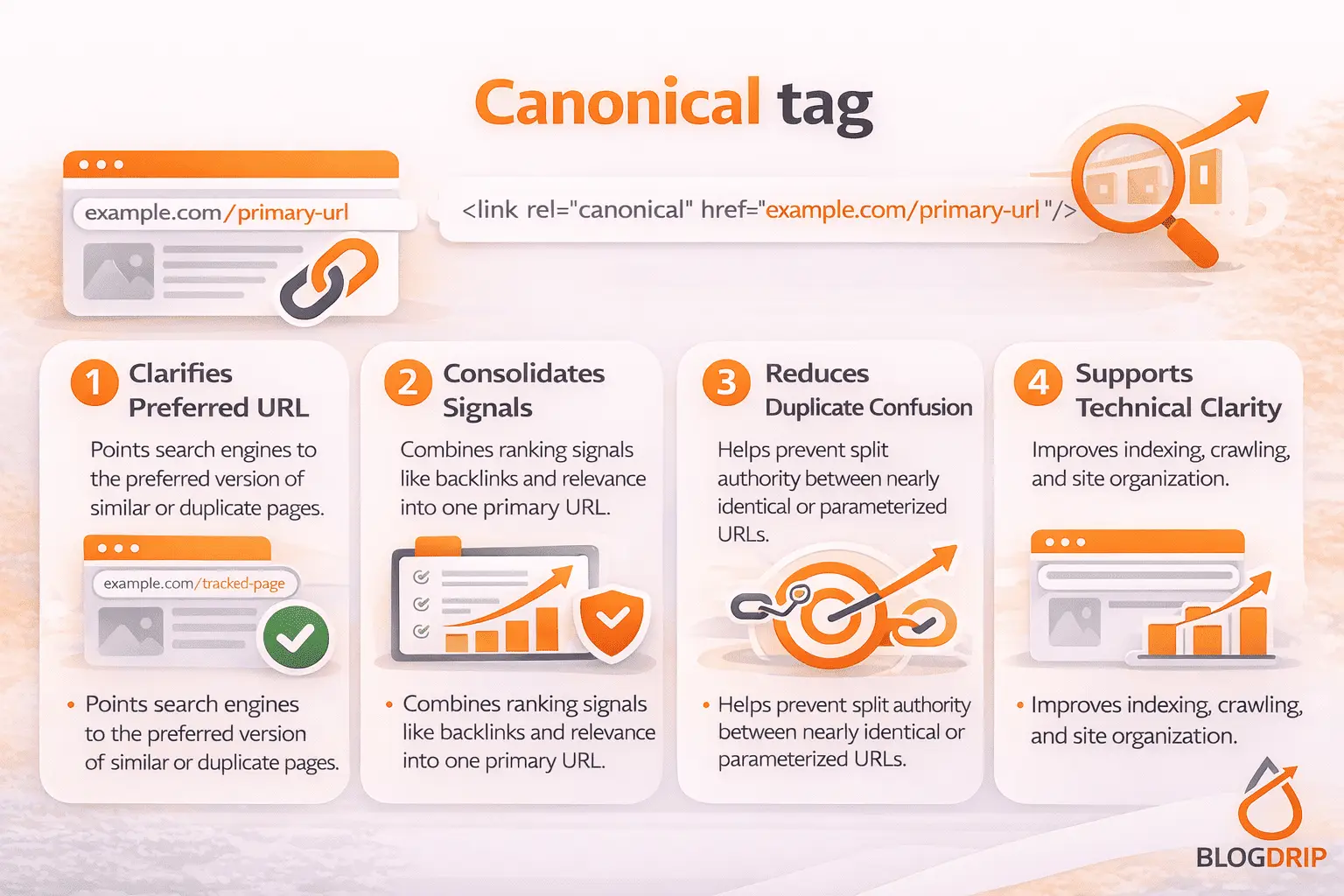
A canonical tag is an HTML element placed in the head section of a page that tells search engines which URL is the preferred version of that page or a group of similar pages.
In practical terms, a canonical tag helps say: “If multiple URLs contain the same or very similar content, treat this one as the main version.”
That is especially useful when websites generate multiple accessible URLs for the same content, whether through filters, tracking parameters, pagination variations, printer-friendly pages, or CMS quirks.
What the canonical tag does
A canonical tag helps search engines understand which version of a page should receive the main SEO signals. That may include internal relevance, link equity, and crawl focus.
This makes the tag useful for:
- duplicate or near-duplicate URLs
- parameter-driven versions
- filtered pages
- alternate versions of the same content
- syndicated or reused content situations in some cases
What the canonical tag does not do
A canonical tag does not guarantee deindexation of other versions. It also does not work as a substitute for redirects when a page has truly moved. And it does not fix thin or weak content by itself.
That distinction is important. A canonical tag is best used when multiple live URLs need to exist, but one should be treated as primary.
Why Canonical Tags Matter
Canonical tags matter because duplicate and near-duplicate URLs are common on modern websites. Without clear preferred versions, search engines may have to decide for themselves which page to index, rank, or consolidate signals around.
They reduce duplication confusion
If several URLs serve essentially the same content, search engines may split attention across them. A canonical tag helps reduce that confusion by pointing toward the page you want treated as the main version.
This is why canonical tags fit naturally into a broader technical SEO cluster alongside URL structure SEO, crawling and indexing, and XML sitemap SEO.
They support stronger signal consolidation
When duplicate-like URLs exist, a canonical tag can help consolidate ranking signals toward the preferred version. That does not mean all value transfers perfectly in every case, but it gives search engines cleaner guidance.
They improve technical clarity
Canonical tags are part of a larger system of technical consistency. When the canonical tag, internal linking, XML sitemap, and preferred URL structure all align, search engines get a clearer message about which pages matter most.
How a Canonical Tag Works
A canonical tag works by sending a hint to search engines about the preferred version of a page.
If several pages are similar enough, search engines may choose to follow the canonical signal and treat one URL as the representative version. That decision depends on the tag itself, but also on whether the rest of the site supports the same choice.
Canonical tags are hints, not directives
This is the most important principle to understand. Search engines can ignore a canonical tag if other signals contradict it.
For example, if page A canonicals to page B, but the site heavily internally links to page A, includes page A in the XML sitemap, and treats it as the main live page, the canonical may be ignored.
Supporting signals matter
A canonical tag works best when it is reinforced by:
- internal links pointing to the preferred URL
- XML sitemaps listing the preferred URL
- consistent redirects and URL rules
- no contradictory indexation signals
- strong content similarity between versions
Canonical tags are most effective when they reflect the actual logic of the site, not when they try to override it artificially.
When to Use a Canonical Tag
Canonical tags are useful when multiple URLs are live and similar enough that one should be treated as the primary version.
Parameter and Tracking URLs
A common use case is parameter-based duplication. For example, URLs with tracking tags or sort parameters may load the same core content as the clean version.
In these situations, the clean page is usually the better canonical target.
Filtered or Variant Pages
On ecommerce and large catalog sites, filters can generate many URL combinations. Some filtered pages may deserve independent indexing, but many do not. When filtered pages largely reproduce the same core set of content, canonical tags can help consolidate signals.
This needs judgment. Not every filtered page should canonicalize away, especially if it serves a distinct search intent.
Duplicate CMS Versions
Some CMS setups create multiple versions of the same page through print views, tag paths, category paths, or alternate URL formats. A canonical tag helps clarify which version should be treated as the real one.
Self-Referencing Canonicals
A self-referencing canonical tells search engines that the current page is the preferred version of itself. This is widely used because it reinforces URL clarity and reduces ambiguity, especially when minor URL variants might exist.
For most important indexable pages, self-referencing canonicals are a sensible default.
Important Considerations for Canonical Tag SEO
Canonical tags work best when used with restraint and logic.
Similarity matters
Canonical tags are intended for pages that are identical or very close in content. If two pages are materially different and serve different search intents, they usually should not canonicalize to one another.
Trying to force unrelated pages into one canonical target often creates weak signals and may be ignored.
Internal linking should align
If your canonical says one page is primary, your internal linking should generally support that. Linking heavily to a non-canonical version creates mixed messages.
This is one reason canonical strategy connects closely to site architecture and internal linking.
XML sitemaps should support the preferred version
Your sitemap should generally include the canonical version, not the duplicates. If the sitemap lists one URL but the canonical points elsewhere, you create avoidable inconsistency.
Canonicals are not redirects
If a page has been permanently replaced and users should no longer access the old version, a 301 redirect is usually more appropriate than a canonical tag.
Canonical tags are better for situations where multiple versions remain live for functional reasons.
Common Canonical Tag Mistakes
Canonical tag problems usually come from inconsistent implementation rather than lack of implementation.
Canonicalizing unrelated pages
One of the most common mistakes is pointing several different pages to a broader category or parent page simply to “consolidate authority.” If the pages are distinct, that usually weakens clarity rather than improving it.
Sending contradictory signals
A canonical tag can be undermined by internal links, sitemap entries, or redirects that point elsewhere. Search engines evaluate the full picture, not the tag in isolation.
Canonicalizing pages that should rank independently
Sometimes teams canonicalize pages that actually target different intents or keyword themes. That can suppress useful pages and reduce visibility unnecessarily.
Using canonicals to fix content quality issues
A canonical tag is not a cleanup tool for weak content strategy. If the real issue is too many thin or overlapping pages, the solution may be consolidation, pruning, rewriting, or restructuring, not just adding canonical tags.
Practical Guidance
The best way to approach canonical tag implementation is to start with the question: do these URLs truly represent the same or nearly the same content?
If yes, decide which one should be the preferred version and make sure the rest of the site supports that choice.
A practical process usually looks like this:
- identify duplicate or near-duplicate URL patterns
- choose the preferred canonical version
- add canonical tags consistently
- align internal linking to the preferred URL
- include the canonical version in XML sitemaps
- avoid canonicalizing pages with distinct intent
- use redirects instead when old pages should be retired
For a pillar-and-cluster site, important pages should usually have clear self-referencing canonicals unless there is a real duplicate case. Cluster pages should not accidentally canonicalize to the pillar page just because the topics are related. Related is not the same as duplicate.
Timing and Expectations
Canonical tag improvements can help fairly quickly when they resolve obvious duplication and conflicting URL signals. Search engines may consolidate preferred versions more cleanly after recrawling and reprocessing the site.
Still, it is important to stay realistic. A canonical tag does not create rankings on its own. It supports cleaner technical interpretation. The benefit often comes from reducing friction, not from adding a new growth lever.
That is why canonical tags should be treated as part of a broader technical SEO system, alongside URL structure, internal linking, crawling controls, and sitemap hygiene.
Conclusion
A canonical tag helps search engines understand which URL should be treated as the preferred version when similar or duplicate pages exist. Its role is to reduce confusion, consolidate signals, and reinforce technical clarity.
Used well, canonical tags support a cleaner, more scalable site structure. Used poorly, they create conflicting signals and may suppress pages that should stand on their own.
As a cluster page, this article should support a broader technical SEO pillar page and connect naturally to related topics such as URL structure SEO, crawling and indexing, XML sitemap SEO, robots.txt SEO, and site architecture. That is the right role for the canonical tag in a pillar-and-cluster model: not as a shortcut, but as a precise technical signal that helps the right pages stay central.