
Optimize Internal Links: How to Build Stronger Page Relationships for Better SEO
Internal linking is one of the most controllable parts of SEO, but it is still underused on many websites. Businesses often focus on publishing new pages, improving titles, or building backlinks, while internal links are added inconsistently or left untouched for months. That creates a structural problem. Good pages exist, but they are not connected well enough to support each other.
That is why it is important to optimize internal links. A strong internal linking system helps search engines understand the hierarchy of a website, discover important pages more efficiently, and interpret topical relationships more clearly. It also helps users move naturally from one relevant page to the next.
For websites using a pillar-and-cluster model, this matters even more. Internal links are what turn separate pages into a coherent content system. Without them, a topic cluster is just a collection of related articles. With them, it becomes a structured authority signal.
This is Cluster page content, so the focus here is specific. This article explains what it means to optimize internal links, why it matters, how it works, what supporting concepts matter most, what common mistakes to avoid, and how to approach it strategically.
What Does It Mean to Optimize Internal Links
To optimize internal links means improving the way pages on your own website link to each other so they better support SEO, content structure, and user navigation.
In practical terms, this goes beyond adding more links. It involves deciding which pages should link to each other, where those links should appear, what anchor text to use, and how the links reflect the hierarchy of the site.
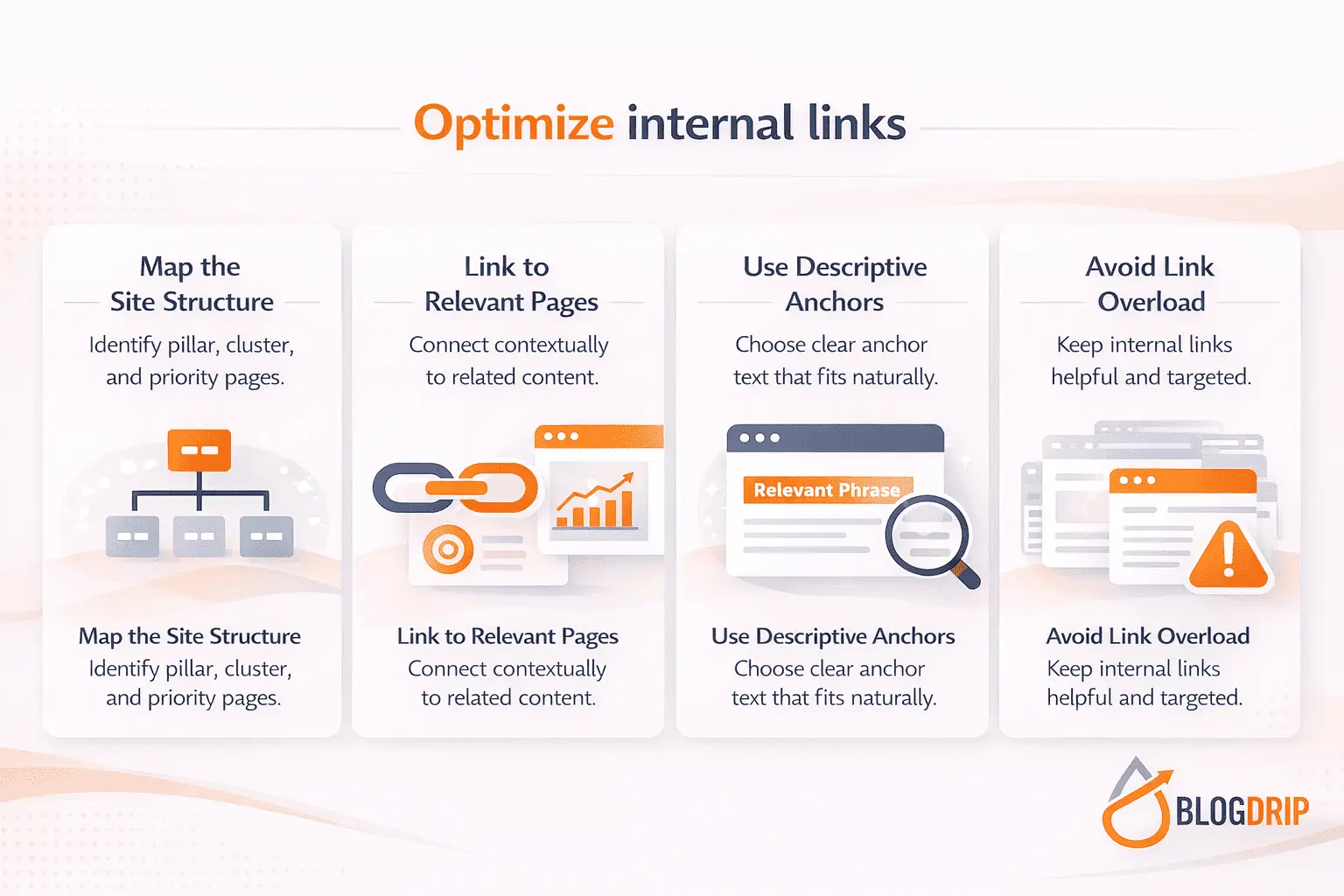
A strong internal linking setup usually does four things well:
- supports important pages with relevant links
- clarifies topical relationships across the site
- helps search engines crawl and interpret content
- guides users toward the next useful page
The goal is not to place links everywhere possible. The goal is to create meaningful connections that make the website easier to understand and easier to use.
Why It Matters
Internal linking affects more than page navigation. It influences how a site is interpreted as a whole.
It improves crawl paths
Search engines use links to discover and revisit pages. If important content is buried too deeply or receives too few internal links, it may not be crawled as efficiently as it should be.
It strengthens topical authority
A pillar-and-cluster model depends on clear page relationships. Pillar pages should connect to relevant clusters, and cluster pages should support the pillar and other closely related pages where appropriate.
It helps distribute internal authority
Some pages naturally earn more visibility, backlinks, or traffic than others. Internal linking helps channel some of that value toward strategically important pages that need more support.
It improves the user journey
Users rarely want only one page. If they land on a useful article, they often need the next explanation, the next comparison, or the next step in the topic. Internal links help them continue that journey without friction.
How to Optimize Internal Links
Optimizing internal links works best when it is done with structure in mind rather than page by page in isolation.
Start With Site Hierarchy
Before reviewing links, clarify the roles of your pages.
Identify pillar pages
Pillar pages usually cover broad topics and act as central hubs within the site architecture. These pages should often receive strong internal support and link out to relevant supporting content.
Identify cluster pages
Cluster pages go deeper into specific subtopics. They should usually link back to the pillar and to closely related pages where that relationship genuinely helps the reader.
Identify commercial and priority pages
Some pages matter more because they support leads, sales, or key business goals. Those pages often need stronger internal support than they currently receive.
If page roles are unclear, internal linking decisions tend to become inconsistent.
Link Based on Relevance
The best internal links are contextually useful.
Ask whether the destination helps the reader
A link should feel natural at the point where it appears. It should add value, not just exist because a phrase happens to match another page title.
Avoid linking only for keyword reasons
A common mistake is adding links wherever an anchor text opportunity appears. That often creates awkward or low-value links. Relevance should come before keyword matching.
Support Important Pages Intentionally
Not all pages should receive the same level of internal support.
Strengthen underlinked strategic pages
Pages that matter commercially or structurally often do not receive enough internal links. This is common when blogs accumulate links naturally but key landing pages remain isolated.
Use older content to support newer assets
Archived content often contains easy opportunities to add relevant links to newer pages. This is one of the fastest ways to strengthen internal support without creating new content.
Use Better Anchor Text
Anchor text helps both users and search engines understand what the linked page is about.
Keep anchor text descriptive
Strong anchor text gives a clear sense of the destination without feeling forced. It should fit naturally into the sentence and make sense in context.
Use variation naturally
Exact-match anchors can be useful, but only in moderation. Repeating the same anchor over and over can make the internal linking pattern feel artificial. Partial match and semantic variation usually create a healthier structure.
Avoid vague anchors
Phrases such as “click here” or “read more” add very little context. They do not help clarify the relationship between the current page and the destination.
Review Link Placement
Where a link appears matters.
Use contextual links in the main body
Links placed inside relevant sections of the content usually provide the strongest contextual signal. They also tend to be more useful for readers.
Use supporting link blocks carefully
Related article sections, resource blocks, or “next steps” modules can still be useful, especially at the end of the page. They work best when they are selective and genuinely connected to the topic.
Avoid clutter
Too many links on a page can reduce clarity and make navigation feel noisy. Internal linking should guide the user, not overwhelm them.
Important Supporting Concepts
Internal linking becomes much stronger when it is aligned with broader SEO structure.
Topic Clusters and Site Architecture
Internal linking should reinforce the way topics are organized across the site.
Pillar-to-cluster relationships
A pillar page should usually link to its most relevant supporting pages. Those cluster pages should link back to the pillar naturally, helping reinforce the relationship.
Cross-linking between related clusters
Not every cluster page should link to every other one, but where topical overlap is strong, cross-links can improve both navigation and contextual relevance.
Orphan Pages and Weak Connections
Some pages are technically live but weakly connected.
What orphan pages are
An orphan page is a page with little or no internal linking support. Even if it is indexed, it may be hard for users and search engines to reach.
Why they matter
If a page is valuable, it should not be isolated. Optimizing internal links often starts by identifying useful pages that are not receiving enough support.
Common Mistakes
Internal linking problems usually come from inconsistency rather than complete neglect.
Adding Links Without a Plan
Some websites add internal links casually over time, without any clear logic. The result is uneven support, weak hierarchy, and unclear topic relationships.
Overusing Exact-Match Anchors
Using the same anchor repeatedly can make internal links feel mechanical. It is better to vary phrasing while keeping the destination clear.
Linking to Low-Value Pages
Not every possible link is worth placing. If the destination page does not add value in context, the link weakens the page instead of strengthening it.
Ignoring Priority Pages
Pillar pages, conversion pages, and strategically important cluster pages often deserve more support than they receive.
Creating Link Overload
More is not automatically better. Too many links can clutter the page and reduce the usefulness of each one.
Practical Guidance
A strong internal linking process starts with an audit mindset. Review your most important pages first and ask whether they are receiving enough relevant internal support. Then review the surrounding pages that could logically link to them.
It is also helpful to think in networks rather than isolated links. A strong site does not just contain pages with random connections. It expresses a clear structure through those connections.
When updating pages, look for natural opportunities to guide the reader deeper into the topic. That often means linking from broad pages to more specific pages, from informational pages to supporting educational resources, and from strong traffic pages to strategically important destinations.
Above all, optimize internal links with purpose. Every link should help clarify the site, support the topic architecture, or improve the reader’s path.
Timing and Expectations
Internal linking improvements can sometimes have visible effects relatively quickly, especially when important pages were previously underlinked. Search engines may crawl those pages more effectively and understand their relationships more clearly.
Still, internal linking is not a standalone solution for weak content. If the destination pages are thin, outdated, or poorly aligned with search intent, links alone will not fix the deeper issue.
The most realistic expectation is that internal linking improves clarity, discoverability, and structural support. In some cases, that contributes to faster ranking gains. In others, it strengthens the whole site gradually over time.
Conclusion
To optimize internal links is to improve the relationships between pages so they better support SEO, site structure, and user navigation.
That makes internal linking more than a technical detail. It is a structural tool that helps search engines interpret your site more clearly and helps users find the next relevant page with less effort.
For websites building topical authority, this is especially important. A pillar-and-cluster strategy depends on strong connections between pages. Internal links are what make that structure visible and useful.
That is the long-term value of internal linking done well. It helps individual pages perform better by making the entire site more coherent, more navigable, and more strategically organized.