
Keyword Research With Google: How to Use Google for SEO Research
Keyword research with Google means using Google’s own search environment to discover how people search, understand search intent, and identify content opportunities. It is one of the most practical ways to research keywords because it shows real search behavior directly from the source most websites are trying to rank in.
That matters because keyword research is not only about collecting terms from software. It is about understanding what users want, how Google interprets their searches, and what type of page is being rewarded. Paid tools can help, but Google itself often provides the clearest view of phrasing, intent, SERP format, and topic relationships.
For websites building topical authority through a pillar-and-cluster model, Google can be especially useful in the early and middle stages of research. It helps identify broad topics, long-tail queries, question-based searches, related themes, and the kinds of pages that deserve to exist within a content cluster. Your broader Keyword Research guide already explains how search demand, intent, and site structure work together. This page focuses more specifically on how to do keyword research with Google and how to use Google’s signals strategically.
What Is Keyword Research With Google?
Keyword research with Google is the process of using Google search results, search features, and related search behavior to identify keyword opportunities and evaluate how a topic should be targeted.
In practical terms, it helps answer questions like these:
- How do people phrase this topic?
- What related searches exist around it?
- What intent does Google appear to associate with the query?
- Which subtopics belong in the same content cluster?
- What page type is most likely to rank?
- Where might there be gaps or opportunities for better content?
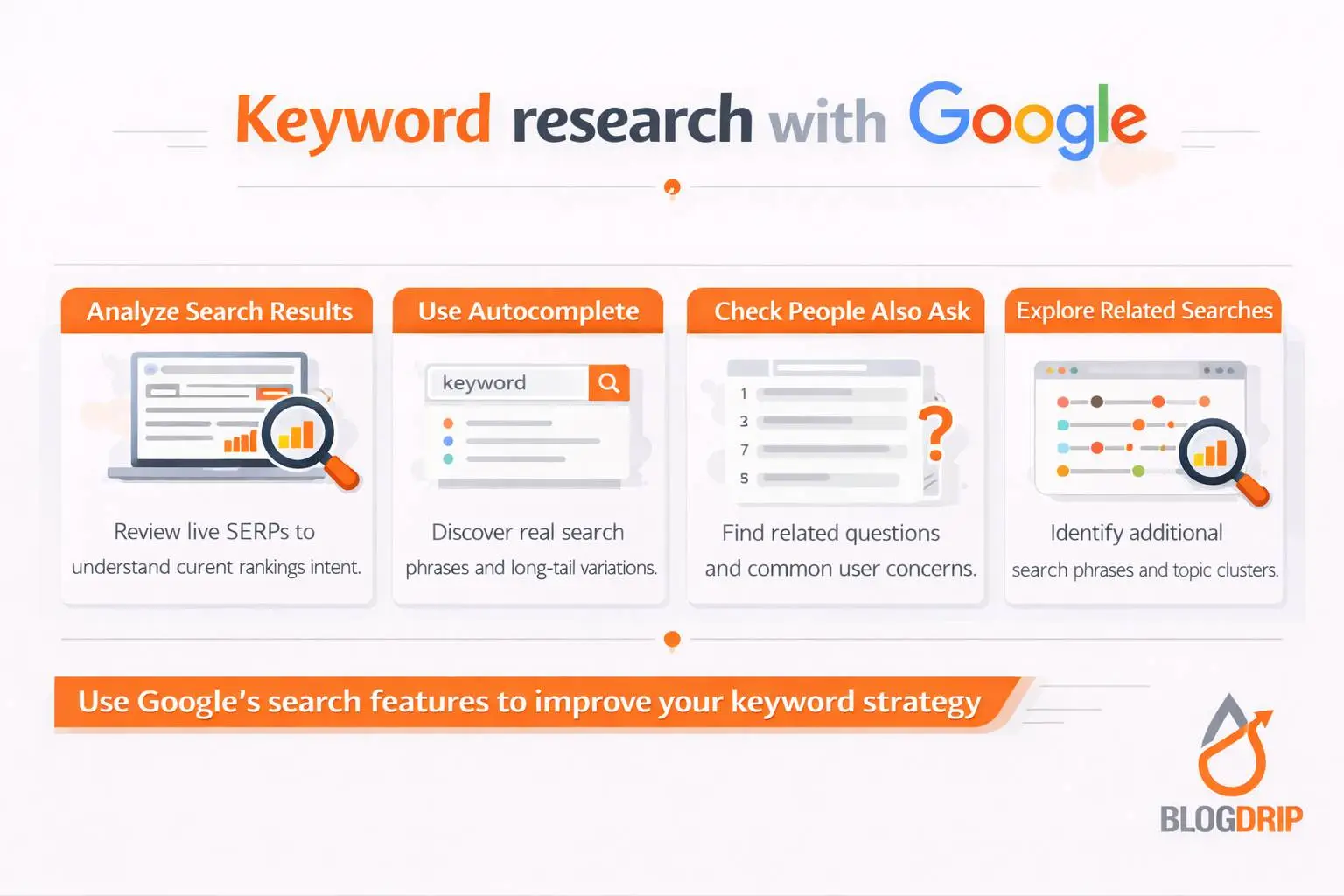
This is not limited to one tool or one data point. It usually involves using Google search itself, autocomplete suggestions, People Also Ask, related searches, and live SERP analysis.
The main advantage is that Google gives you direct evidence of how the query is being interpreted right now.
Why Keyword Research With Google Matters
Keyword research with Google matters because it keeps SEO grounded in real search behavior instead of abstract assumptions.
Without this step, teams often rely too heavily on exported keyword lists or tool metrics without fully understanding intent, phrasing, or result patterns. That can lead to content that looks optimized on paper but does not fit what users or search engines actually expect.
It shows real search language
Google surfaces the way people actually search.
This is valuable because internal business language is often different from user language. Google features help reveal whether users search with broad terms, detailed questions, comparisons, or problem-focused phrasing.
It helps identify search intent
One of the strongest reasons to use Google for keyword research is that it reveals search intent through the live results page.
You can see whether a keyword is producing guides, product pages, comparisons, videos, local listings, or something else. That gives you direct insight into the kind of content the query requires.
It improves topical coverage
Google also helps uncover related questions and connected themes. This is especially useful when building cluster content, because a strong cluster rarely comes from one primary keyword alone.
A broad topic can often be expanded into supporting pages based on what Google shows around it.
It supports better content decisions
When you research keywords through Google, you are not only finding ideas. You are also learning how Google frames the topic, what page formats are already working, and whether your proposed content angle makes sense.
That leads to better page planning and fewer wasted articles.
How to Do Keyword Research With Google
Keyword research with Google works best as a structured process rather than a quick search.
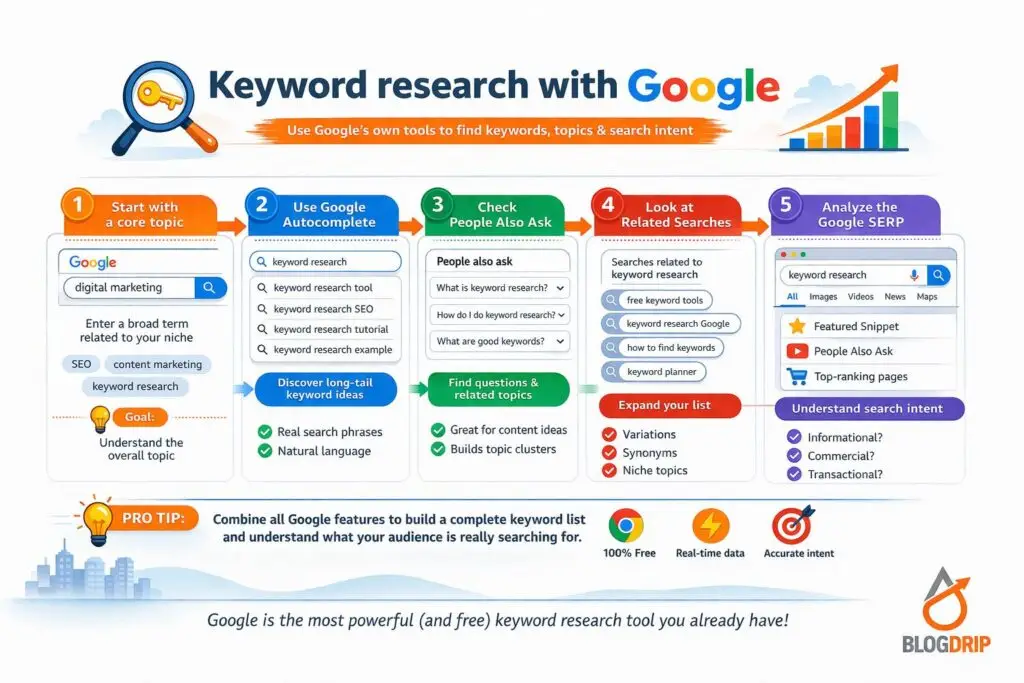
Start with a core topic
Begin with a broad topic relevant to your audience and business. This should be a subject your website can credibly cover and that fits your wider SEO goals.
For example, if your site focuses on SEO strategy, a core topic might be keyword research, search intent, on-page SEO, or technical SEO. Once the core topic is clear, Google helps you expand it into more specific opportunities.
Use Google autocomplete
Autocomplete is one of the simplest ways to discover keyword ideas.
When you begin typing a query, Google suggests common continuations based on popular search patterns. These suggestions can reveal:
- common modifiers
- long-tail phrases
- question-based searches
- audience-specific wording
- related subtopic angles
Autocomplete is especially useful for early-stage ideation because it quickly shows how a broad term branches into more specific searches.
Review People Also Ask
People Also Ask is one of the most useful Google features for cluster planning.
It shows related questions Google associates with the topic, which helps you understand:
- what users want clarified
- what supporting questions matter
- what informational angles deserve coverage
- how related topics connect semantically
This is helpful both for article structure and for deciding whether a question belongs inside an existing page or deserves its own cluster article.
Check related searches
Related searches at the bottom of the results page often reveal adjacent demand.
These are useful for spotting:
- close keyword variations
- supporting article ideas
- broader or narrower topic links
- related intent paths
In many cases, related searches help connect a single article idea to a wider topical cluster.
Analyze the live SERP
This is the most important step.
Search the target keyword and study the first page carefully. Look at:
- what types of pages are ranking
- whether the results are informational, commercial, or mixed
- how broad or narrow the ranking pages are
- whether the content is beginner-focused or more advanced
- what SERP features appear
- what angle the top results take
This tells you far more than a keyword list alone. A good keyword opportunity still needs to match the result landscape.
Important Google Features for Keyword Research
Google itself offers several useful signals for research, even without a paid tool.
Autocomplete
Autocomplete helps you discover common search phrasing and long-tail variations. It is useful for fast ideation and finding natural language patterns.
People Also Ask
People Also Ask helps reveal user questions and related informational intent. It is especially helpful for cluster-page planning and content outlines.
Related searches
Related searches provide additional keyword ideas and neighboring topic directions. They help expand a core topic into broader coverage.
Search snippets and titles
The titles and descriptions of ranking pages often reveal how competitors frame the topic and what angle Google is currently rewarding.
SERP features
Featured snippets, videos, shopping results, local packs, image results, and other SERP features all help indicate intent and the expected format of the page.
What Keyword Research With Google Is Good At
Using Google for keyword research is especially strong in a few areas.
Intent analysis
Google is arguably the best source for understanding intent because the live results show exactly what search engines believe satisfies the query.
Topic expansion
Google features make it easy to expand one broad topic into subtopics, questions, and supporting pages.
Long-tail discovery
Autocomplete and related searches are useful for finding more specific search phrases without needing premium software.
Content framing
By reviewing the current result pages, you can understand how to angle the article, what depth is expected, and whether the topic should be broad or focused.
Common Mistakes When Doing Keyword Research With Google
Using Google for research is useful, but it still requires discipline.
Looking only at suggestions without analyzing the results
Autocomplete ideas are useful, but they are not enough on their own. You still need to review the live SERP to understand intent and competitiveness.
Treating every related phrase as a separate page
Google surfaces many related searches, but not all of them need separate URLs. Some belong together on one stronger page.
Ignoring the page type Google rewards
A keyword may look informational, but the results may lean toward product pages, comparisons, or videos. If you ignore that pattern, the content is likely to miss the mark.
Over-focusing on wording instead of topic meaning
Google is increasingly good at understanding topic relationships. This means keyword research should focus on intent and coverage, not just exact phrasing.
Skipping broader strategy
Google can help you find ideas, but those ideas still need to be grouped, prioritized, and mapped into your wider site structure.
Practical Guidance for Using Google for Keyword Research
The best way to use Google for keyword research is to combine discovery with interpretation.
Start with a core topic and use Google search features to expand it into related phrases, questions, and supporting angles. Then analyze the live results to understand intent, page format, and competitive context.
From there, decide:
- which term should anchor the page
- which supporting queries belong in the article
- which related searches deserve separate cluster pages
- how the page should link back to the main pillar topic
- whether the keyword is realistic for your site right now
For a site using pillar-and-cluster architecture, this process is especially useful. A pillar page on Keyword Research can be supported by cluster pages on search intent, long-tail keywords, keyword mapping, keyword strategy, and keyword research with Google itself. Google’s search features help surface these relationships naturally.
Used well, Google is not just a search engine in this process. It becomes a live research environment.
When Google Is Enough and When It Is Not
Google alone is often enough when:
- you are validating topic ideas
- you are researching informational content
- you need long-tail and question-based queries
- you are planning smaller or early-stage content clusters
- you want direct intent insight
Google alone is less sufficient when:
- you need large-scale keyword exports
- you want deeper competitive datasets
- you are prioritizing content across many categories
- you need more formal workflow support for clustering and mapping
Even then, Google remains valuable. Paid tools can expand the research, but Google often provides the clearest view of actual search interpretation.
Timing and Expectations
Keyword research with Google can improve clarity immediately, but it does not create rankings on its own.
Its early value usually appears in better topic selection, clearer intent analysis, stronger content outlines, and more realistic page planning. SEO gains come later through the quality of the pages built from that research.
For newer sites, using Google well can be especially valuable because it allows you to build smarter content without relying entirely on premium tools. For more established sites, it remains useful as a way to validate intent, refine topic angles, and strengthen cluster planning.
Google gives you the signals. Strategy turns those signals into results.
Conclusion
Keyword research with Google is the process of using Google’s own search environment to discover keyword ideas, understand intent, and plan better content.
It matters because it keeps research grounded in real search behavior. It helps reveal how users phrase topics, what Google associates with a query, what page formats are being rewarded, and how broader topic clusters should be structured.
For a website building topical authority through a pillar-and-cluster model, Google is one of the most practical research tools available. Used strategically, it helps turn broad ideas into clearer topics, stronger pages, and more useful SEO decisions.